Facebook DP Maker — Get a Clean Circle DP in Seconds

No Signup. No Watermark. Gold Frames Built In.

Your Facebook profile picture is the first thing people see before they read a single post, comment, or message you send. DP Maker creates a sharp 180×180 circle photo in seconds, right in your browser — no app, no upload, no waiting.

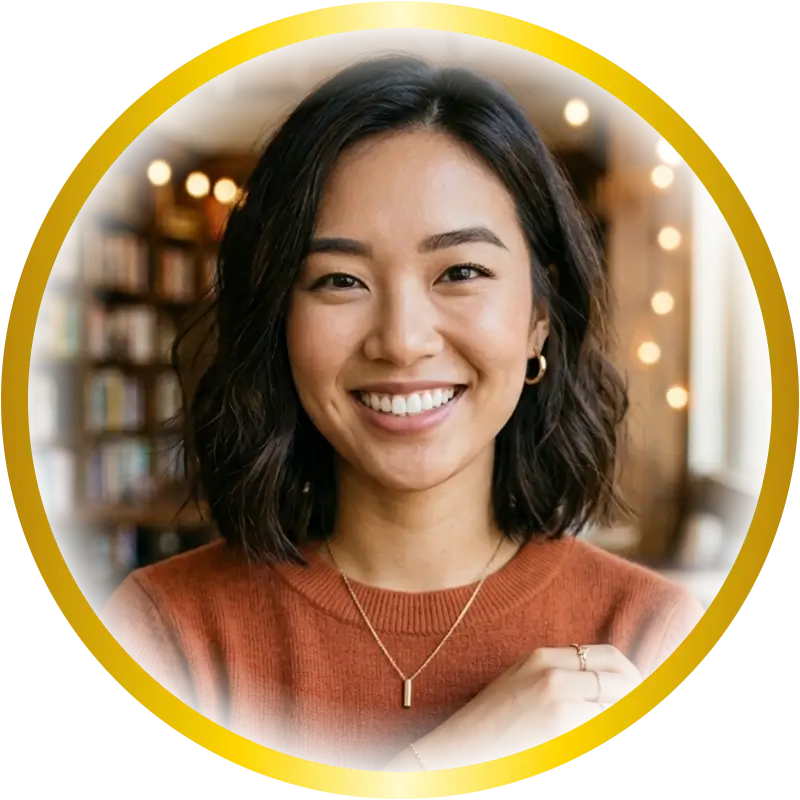
Gold gradient border profile picture made with DP Maker — free, no signup

Made with DP Maker in seconds — gold gradient border, soft edge, no watermark.


No upload · No signup · 100% free
640 × 640 · WhatsApp
Drag text on canvas to move
JPG
PNG
WebP
Quality 92%

What Size Is a Facebook Profile Picture?

Facebook displays profile pictures at 180×180 pixels on desktop and scales them down to 36×36 in comments. A lot of guides online get this wrong — Canva’s own resource page cites 170×170, others say 320 or 360. The actual minimum Facebook recommends is 180×180, and that is exactly what DP Maker sets automatically the moment you open the page.

Why does size matter? When you upload a photo that is too small, Facebook stretches it to fit the circle frame. Stretching creates visible blurring — soft edges, smeared text, and a generally low-quality appearance in feeds, comments, and chat threads. Upload too large without cropping correctly, and Facebook’s automatic crop will cut off your face or shift the focal point somewhere you didn’t intend.

DP Maker handles all of this. The canvas is pre-set to 180x180px, the circle crop is applied instantly, and what you download is precisely what Facebook will display. No manual resizing after the fact, no surprises when you upload.

How to Make a Facebook DP

Making a clean Facebook profile picture takes under a minute. Here’s the full process, start to finish.

  1. Open DP Maker — no signup, no account, no login. The tool loads instantly in your browser.
  2. Upload your photo — JPG, PNG, WebP, AVIF, or HEIC all work. If you’re on an iPhone, you can upload your photo directly without converting it first. HEIC support is built in.
  3. Facebook size is pre-selected — the canvas is already set to 180x180px. No manual input needed.
  4. Choose your crop mode — Fill mode fits your photo edge to edge inside the circle. Fit mode shows the full photo with a background behind it (great for group shots or full-body photos). Manual mode gives you a drag handle crop box for precise control.
  5. Customise your DP — add an event preset like Eid or Birthday, apply a gold frame, set a gradient border in Gold or Rose Gold, add your name with the text overlay, drop in stickers, or place an emoji. Any combination works.
  6. Download — JPG, PNG, or WebP at full 180x180px resolution. No watermark, ever. One click, no redirect.

That’s the whole make dp for snapchat workflow. No app to install, nothing to learn.

Tips for a Great Facebook Profile Picture

Match Your DP to the Occasion

Facebook is where extended family, friends, and community contacts check in on you — which means your profile picture gets seen by more people, more often, than on almost any other platform. Updating it for Eid, Ramadan, a birthday, or a national holiday is one of the simplest ways to show up in feeds without posting anything at all. A changed profile picture triggers a notification. That is free engagement.

Use the Right Crop for Your Photo

For a close-up portrait or selfie, Fill mode keeps your face front and centre with no wasted space. If you have a photo that works better shown in full — a group shot from a family gathering, or a photo where the background is part of the story — use Fit mode. In Fit mode, DP Maker takes your uploaded photo, blurs it heavily, and uses it as a studio-look background behind the circle. The blur is built from your own photo, so the result looks cohesive rather than slapped together.

Put Your Name on Your DP for Special Occasions

Sara updates her Facebook DP every Eid so extended family and friends recognise her seasonal update the moment it appears in their feed. She picks the Eid preset, adds her name in Dancing Script font, and downloads at 180x180px. The whole process takes about 90 seconds. No account, no watermark on the final image — just a clean, festive facebook dp she can use year after year.

Let the Events Filter Do the Work

When you select an event preset, DP Maker automatically filters the sticker panel to show only stickers relevant to that event. Pick the Birthday preset and you see birthday stickers. Pick Ramadan and you get Ramadan stickers. You do not scroll through irrelevant options. This is a feature no competing free tool offers — the sticker library and the event ring are connected.

Go Gold for Celebrations, Rose Gold for Something Different

Gold is the strongest choice for Eid, Milad, wedding, and celebration DPs on Facebook. Rose gold border profile picture is a nearly uncontested keyword cluster — no major competitor has built a free, no-signup tool around it. If you want your DP to look distinctive rather than like every other festive update in the feed, rose gold is worth trying.

Features That Make Your Facebook DP Stand Out

Event Presets — 13 Occasions, One Click Each

DP Maker has 13 confirmed live event presets: Eid, Ramadan, Muharram, Milad un Nabi, Pakistan, India, Birthday, New Year, Christmas, Diwali, 4th July, Halloween, and a default None state. Each preset applies a themed decorative ring overlay around the circle photo in the colors and style of that occasion.

Eid — Teal and mint rings in an elegant dot pattern. The most-used preset on the platform for South Asian Facebook audiences. Pair it with a gold frame, add your name in Dancing Script or Oswald, and you have a complete Eid dp for Facebook in under two minutes. The Eid sticker dp maker logic kicks in automatically — the sticker panel filters to show only Eid-relevant stickers the moment you select the preset.


Ramadan — Blue geometric rings that work well with a cool filter or a calm gradient background. Ramadan dp maker searches peak in the weeks before Ramadan begins. The Ramadan dp with name combination is one of the strongest on Facebook specifically because the platform’s notification system means your updated DP gets seen by everyone who follows you, not just people who visit your profile directly. Layer the text overlay on Line 1 with your name in Lora or Playfair Display for a polished result.

Muharram — Red solemn rings designed for mourning DPs. The correct way to use the Muharram preset is always in combination with the B&W filter. One click on the B&W filter converts your photo to full greyscale while the Muharram ring stays in place. The result — a black dp for muharram with the red ring overlay — is DP Maker’s unique combination. No other free browser tool has a dedicated muharram dp maker preset paired with a greyscale filter working together. Always use this combination for muharram dp for facebook content.

Milad un Nabi — Green and gold celebratory rings. The milad un nabi dp preset is confirmed live in the tool. Pair it with a gold gradient border and the text overlay in Great Vibes font for a milad dp for facebook that feels genuinely celebratory rather than generic. The 12 rabi ul awal dp maker keyword cluster has almost no competition — this is a fast-ranking opportunity.

Pakistan Independence Day — Green and white national colors. The jashn e azadi dp maker and pakistan flag dp maker keywords both peak in the weeks before 14 August. Use the Pakistan preset with the Bebas Neue font and a pill background in green for a 14 august dp maker result you can set up before breakfast. The 15 august dp maker audience overlaps significantly on Facebook — both independence day audiences are active on the platform and update their DPs for the occasion.

India Independence Day — Orange and green tricolour rings. Tiranga dp maker and india independence day dp maker are both high-volume keywords. The har ghar tiranga dp maker cluster specifically targets Facebook and WhatsApp audiences. Pair the India preset with a vivid filter and the Montserrat font for a clean, patriotic result. The 15 august dp maker framing covers both independence days simultaneously for Facebook content.

Birthday — Pink and purple dashed festive rings. Birthday is the highest-frequency non-seasonal event on Facebook — someone’s birthday happens every single day of the year. A local mosque community admin updates his group’s profile picture for every major occasion using DP Maker. For birthdays, he applies the Birthday preset, the rose gold gradient border, and a heart emoji rotated at 45 degrees. Consistent, recognisable, done in under a minute. The birthday sticker dp maker filter activates automatically when the Birthday preset is selected.

Diwali, Christmas, New Year, Halloween — All four are confirmed live. Diwali pairs naturally with gold frames and a vivid filter. Christmas works well with a red solid color background in Fit mode. New Year’s gold starburst dot rings pair with the gradient border Gold preset. Halloween is a low KD event keyword cluster — the orange and black rings, combined with the halloween sticker dp maker auto-filter, give you a quick festive result with almost no competing free tools targeting the exact keyword.

4th of July — Red, white, and blue patriotic rings. The 4th july dp maker keyword cluster is genuinely low competition on Facebook despite meaningful search volume. Apply the 4th July preset, add a gold frame, and include a short name overlay in Impact or Bebas Neue for a clean patriotic facebook dp.

Ring customisation — Each preset has three independent rings (Ring 1, Ring 2, Ring 3) with their own color pickers and opacity sliders. You can adjust any ring color to match a specific brand palette or personal preference. A Reset to Default button restores the original preset colors if you want to start over.

Gold Frames — 12 Styles, Canvas-Drawn

DP Maker includes 12 ornamental gold frame styles drawn directly on the canvas using the Canvas API. No image files. No loading delay. Vector-quality rendering at any resolution, including the final 180x180px Facebook export.

The frame library covers a full range of styles — from clean sunburst and geometric rings to ornamental floral and decorative borders. An opacity slider (0–100%) and a scale slider (50–150%) give you precise control over how the frame sits on the photo.

Gold frames are especially strong for facebook dp gold frame searches that peak around Eid and Milad. The eid gold frame dp and golden border dp facebook keyword clusters are both high-volume with manageable competition. A wedding dp gold frame result works year-round — weddings happen every month, and Facebook is still where most families share and mark the occasion.

The 12 gold frames dp maker count matters. Most tools offering gold frames cap out at 3 or 4 styles. DP Maker’s 12 styles at no cost, with no signup, makes the premium gold frame profile picture free angle genuinely differentiated.

Gradient Border — Gold and Rose Gold Presets

The Border panel in DP Maker includes a full gradient border system. Four built-in presets — Gold, Silver, Rose Gold, and Rainbow — each apply a gradient ring around the circular photo instantly. A Custom option opens a multi-stop gradient builder with unlimited color stops and a live preview bar. This is a Photoshop-level feature in a free, no-account browser tool.

For Facebook’s family and celebration audience, Gold and Rose Gold are the strongest gradient border angles. Gold gradient border profile picture pairs with every major celebration event — Eid, Milad, Birthday, New Year. Rose gold border profile picture is a completely unowned keyword cluster. No competitor has built content around rose gold dp maker at this level. The rose gold profile picture frame and rose gold circle dp angles have almost zero competition while carrying real search intent.

The gold ring profile picture maker and golden ring dp maker free clusters are strong year-round. For Eid specifically, a shiny gold border dp maker result — combining the Eid preset ring with the Gold gradient border — creates a layered, polished look that stands out in a feed full of generic event updates.

The gradient ring profile picture maker and circular gradient border profile picture framing applies to both Gold and Rose Gold. Neither is a niche request — both have consistent monthly search volume with low keyword difficulty. This is one of the clearest ranking opportunities on the entire page.

Stickers — 47 Built-In, Event-Filtered

47 pre-built stickers drawn entirely with the Canvas API. No image files, no external loading, crisp at any output size. The sticker panel has two tabs: All (all 47 stickers) and Events (filtered by the currently selected event preset).

The event-filtered sticker logic is unique. When you pick the Eid preset, the Events tab shows only Eid stickers. Switch to Birthday and the tab switches to birthday stickers. This is a feature no competing free browser tool offers. You never scroll through a wall of irrelevant options to find what you need.

After placing a sticker, you control size, X/Y position, and opacity. Facebook dp with stickers searches are consistently driven by people who want a festive, decorated circle photo without the hassle of a design app. DP Maker answers that directly — no Canva account, no template fee, no watermark on the result.

Text Overlay — Two Lines, 17 Fonts

The text overlay system has two completely independent lines. Line 1 and Line 2 each have their own tab, their own font selector, their own color picker, and their own position controls. This is not a single text box on top of a photo. It is a proper two-line text system.

17 fonts are available across 6 categories — system fonts like Arial, Impact, and Georgia; Google-style sans fonts like Roboto, Poppins, Montserrat, and Oswald; serif options like Playfair Display and Lora; script fonts including Dancing Script, Great Vibes, Satisfy, Lobster, and Pacifico; and display fonts like Bebas Neue, Righteous, and Abril Fatface. All fonts are self-hosted as woff2 files, so they load in every browser including private/incognito mode.

The text background pill — a rounded pill shape behind your text — has its own color picker, opacity slider, horizontal padding slider, and border radius slider. The most common use: name on Line 1, occasion or role on Line 2. For a dp with my name facebook result, this combination handles the vast majority of use cases cleanly. The how to make dp with my name keyword covers exactly this flow.

No Signup, No Watermark — Instant Access

Tools like Canva and Adobe Express require an account before you can download at full resolution. PFPMaker and Lift both gate watermark removal or transparent export behind a paid plan. DP Maker has zero authentication and zero paid tiers. Open the page, upload a photo, download the result. Nothing blocks you.

The best free facebook dp maker no watermark angle is not just a marketing claim — it reflects how the tool is built. There is no premium version. There is no watermark logic in the codebase. What you create is entirely yours.

Searches for dp maker no signup and profile picture maker no account needed are driven by people who have run into the Canva or Adobe Express paywall and want an alternative that actually works without registering. DP Maker is that alternative. The facebook dp maker no account angle is direct and accurate.

The facebook profile picture frame maker online free cluster sits at the intersection of both desires: a frame (Gold, Rose Gold, or an event preset) applied to a profile picture, free, with no account. DP Maker covers all three requirements without compromise.

DP Maker vs Canva vs Adobe Express vs Fotor— Which One Actually Works for Facebook?

Feature DP Maker Canva Adobe Express Fotor Why it matters for Facebook
Signup required No Yes Yes Yes (for HD) Facebook DP updates happen around events — Eid, birthdays, national days. You want the tool open and working in under 30 seconds, not blocked by an account creation screen.
Watermark on free tier Never No No Sometimes A watermarked profile picture on Facebook looks amateurish and draws the wrong kind of attention. DP Maker never adds branding — not on the free tier, not ever.
Transparent circle PNG (no white box) Yes No No No Facebook crops your photo into a circle automatically, but if you want a clean circle PNG to use in a custom overlay or Twibbon-style campaign frame, you need the transparent export. Every competitor exports a circle inside a white square. DP Maker exports just the circle.
Photo upload privacy Browser-only, never uploaded Uploaded to server Uploaded to server Uploaded to server Your family photos stay on your device. DP Maker processes everything locally in the browser — no server ever receives your photo, no database stores it.
Real photo editing (not AI-generated) Yes Limited Limited AI-focused Facebook profile pictures are personal — your actual face, your actual family photo. You want real cropping, real filtering, and real frame overlays on your own photo, not an AI-generated replacement.
Platform-exact sizing Yes, auto Manual Manual Manual Facebook's correct minimum size is 180x180px — a number many guides get wrong. DP Maker sets this automatically. No manual canvas resize, no guessing, no blurry result when Facebook scales it in feeds and comments.
Facebook DP Maker — free circle PNG export, event frames, soft edges, no signup, photo stays on your device

Your Facebook Photo Stays Private

Every edit you make in DP Maker — the crop, the filter, the event preset, the gold frame, the name overlay — happens entirely inside your browser using HTML5 Canvas. Your photo never leaves your device.

This is not a privacy policy promise. It is how the tool is built. There is no server receiving your upload because there is no upload. There is no database storing your image because nothing is transmitted. You can disconnect your internet connection after the page loads and DP Maker still works. That is how local the processing is.

For Facebook users who are updating a personal family photo, this matters. You are not handing a photo of your face, your children, or your family gathering to a third-party server to process and potentially retain. The photo stays on your device until you choose to upload it to Facebook yourself.

HEIC support reinforces this. iPhone users shooting in the default HEIC format can upload directly to DP Maker without converting. No third-party converter needed, no extra step, no additional service receiving your photo.

How People Actually Use Facebook DP Maker

The family community admin. A local mosque committee admin updates the group’s Facebook profile picture for every major occasion throughout the year. For Milad un Nabi, he selects the Milad preset — green and gold rings — uploads the community’s official event PNG as a custom overlay, and adds the group name in Oswald on Line 1. He downloads at 180x180px and updates the group picture. The whole process runs under two minutes. He has used the same tool for Eid, Ramadan, Pakistan Independence Day, and Muharram. No account, same bookmark, same result every time.

The birthday update. Maria updates her Facebook DP on her birthday every year. Birthday preset, rose gold gradient border, heart emoji rotated at 45 degrees, her name in Great Vibes font on Line 1. She discovered the rose gold dp maker option by accident the first time and has used it every year since. It takes her about 60 seconds. The downloaded file has no watermark — her name and face, no branding from any tool.

The Muharram DP. Ahmed updates his Facebook and WhatsApp DPs every Muharram. He opens DP Maker, uploads his photo, selects the Muharram preset, switches on the B&W filter — one click, full greyscale — and adds his name in Courier New. The black dp for muharram with the red ring overlay downloads at 180x180px. Done before the morning is over. No app, no account, no watermark.

Frequently Asked Questions

What size is a Facebook profile picture?

Facebook’s recommended minimum profile picture size is 180×180 pixels. The image displays at 170×170 on desktop and scales down to 36×36 pixels in comments. DP Maker sets the canvas to 180×180 automatically — you do not need to configure anything.

Open DP Maker and upload your photo. The tool applies a circle crop automatically. When you export as PNG, DP Maker exports just the circle — transparent everywhere outside it. There is no white box behind the circle, no square background, no hard edge bleed. To make the edge softer, use the Soft Edge slider before downloading — when Soft Edge is active, the export auto-switches to PNG automatically. You do not need to change the format manually.

Yes. DP Maker requires no account, no email, and no login at any point. Open the page, upload your photo, customise, and download. The facebook dp maker no account flow is complete in under a minute, with no paywall and no watermark on the result.

Yes. DP Maker accepts HEIC files directly. iPhone users shooting in the default camera format do not need to convert their photo to JPG or PNG before uploading. Upload the HEIC file, edit as normal, and download in JPG, PNG, or WebP.

Open the Border panel in DP Maker. For a flat gold border, use the color picker and set it to a gold hex value. For a gradient gold ring, scroll to the Gradient Border section and select the Gold preset. This applies a warm gold gradient ring around the circle instantly. For rose gold, select the Rose Gold preset. Both are free, with no signup and no watermark on the download. To add a completely custom gradient, select Custom and build your own color stops.

Yes. DP Maker has 13 confirmed live event presets including Eid, Ramadan, Muharram, and Milad un Nabi. Each preset applies a themed ring overlay in the colors of that occasion. For Muharram, always combine the Muharram preset with the B&W filter for a proper mourning dp — the filter converts your photo to greyscale in one click while the ring stays in place. When you select any event preset, the sticker panel automatically filters to show only relevant stickers for that event.

Also Try

If your photo is large and you need to reduce the file size before uploading to Facebook, imagecompressorconverter.com handles it — free, browser-only, no signup. Same privacy approach as DP Maker: your file never leaves your device.

For other platforms, the same facebook dp maker workflow applies across the full DP Maker tool set. The WhatsApp DP Maker shares the same event preset audience — Eid, Ramadan, Muharram, Pakistan, and India presets are all equally strong on WhatsApp. The Instagram DP Maker covers the aesthetic and circle-crop precision angle if you want consistent branding across both platforms. And the main DP Maker page lets you switch between all 16 supported platforms using the same photo and edits.