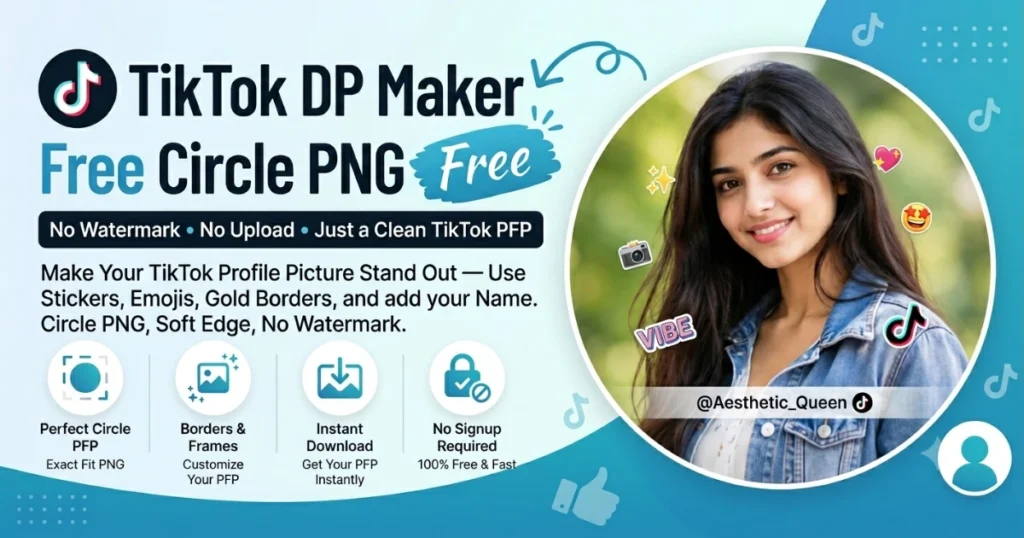
TikTok DP Maker Free Circle PNG No Signup

No Watermark. No Upload. Just a Clean TikTok PFP.

TikTok displays your profile picture at 200×200px — small, circular, and the first thing anyone sees before they hit follow. Whether you’re a creator, a business, or just updating your look, your TikTok DP needs to be sharp, centered, and sized right from the start.

DP Maker gets it done in under a minute. Upload your photo, pick your style, download a clean 200×200 circle PNG — no account, no watermark, nothing stored on any server.

No upload · No signup · 100% free
640 × 640 · WhatsApp
Drag text on canvas to move
JPG
PNG
WebP
Quality 92%

What Size Does the TikTok DP Maker Use?

TikTok profile picture maker — free circle PNG with stickers, emojis, gold borders and soft edge. No signup, no watermark.

TikTok profile pictures display at 200×200 pixels. That is the official recommended size — and DP Maker sets it automatically the moment you land on this page. No manual input, no resizing after download.

TikTok crops every profile picture into a circle. On your profile page it sits large and clear. In comment sections, search results, and the For You Page it shrinks to a small thumbnail. If your photo is not centered and sized correctly before upload, TikTok’s auto-crop cuts off faces, removes text, and clips anything near the edges — and you won’t know until it’s already live.

Upload the wrong dimensions and you get a pixelated, upscaled image that looks blurry on high-resolution phone screens. On a platform where people decide in under a second whether to follow you, a low-quality profile picture is a problem you don’t want.

DP Maker outputs at exactly 200×200px — sharp, centered, and ready to upload directly to TikTok without any further editing.


How to Make a TikTok DP

No design experience. No app to download. No account to create. Here is exactly how the TikTok profile picture maker works:

Step 1 — Open DP Maker

This page loads with TikTok already selected. The 200×200px canvas is ready. Nothing to configure.

Step 2 — Upload your photo

Click the upload area, drag and drop, or on mobile tap to open your camera roll. DP Maker accepts JPG, PNG, WebP, AVIF, and HEIC. iPhone users can upload straight from their camera roll — no conversion needed. Most free tools reject HEIC files. This one doesn’t.

Step 3 — Choose your crop mode

Three modes available. Fill covers the entire circle with your photo — best for tight portraits where you want no background showing. Fit shows your full photo inside the circle with a background behind it — three background types available: blur, gradient, or solid color. Manual Crop gives you a drag-and-resize crop box for exact control over what makes it into the circle.

Step 4 — Style your DP

This is where the tiktok dp editor online goes beyond a basic resizer. Add a vivid filter to make your thumbnail pop in feeds. Drop in a gold frame for Eid or a birthday. Place stickers and emojis directly on your photo. Type your name or a short phrase using any of 17 fonts. Pick an event preset and the ring overlay, sticker filter, and color theme all update in one click.

Step 5 — Preview

Use the Before/After toggle — hold to see your original photo, release to see the edited version. Make any final adjustments before downloading.

Step 6 — Download

One click. Your TikTok DP downloads as a transparent circle PNG or JPG at full 200×200px resolution. No watermark. No popup. No redirect. The filename includes the platform name so you always know which file is which.

Tips for a Great TikTok Profile Picture using the TikTok DP maker

TikTok’s audience is fast. Your profile picture appears next to every comment you leave, every video you post, and every search result you show up in. These tips are written specifically for how TikTok displays and uses your DP — not generic photo advice.

Keep your face centered and close to the frame

TikTok’s circular crop is unforgiving at thumbnail size. A face that looks well-centered in a full photo can disappear completely when cropped to a small circle. Use Fill mode for portraits — your photo covers the entire circle with no wasted space, and your face stays front and center even at the smallest display sizes.

Go vivid — not muted

Soft, low-contrast photos get lost in TikTok’s busy comment sections and search results. The Vivid filter in DP Maker boosts saturation and contrast in one click. Your circular thumbnail becomes visible and distinct against white backgrounds and dark themes alike. It is one of the fastest ways to make dp for tiktok that actually stands out without touching a separate photo editor.


Update your DP for events and seasons

TikTok’s South Asian user base updates profile pictures for Eid, Diwali, and major celebrations more actively than almost any other platform. DP Maker’s event presets are built for exactly this. Select Eid and a themed ring overlay appears around your circular photo instantly. Select Diwali, Birthday, Halloween, or New Year and the same happens — each with its own color scheme and matching sticker set. Every ring color is customizable, so you are never locked into the default palette.

Add your name or brand to your DP

TikTok creators with strong personal brands often put their name directly on their profile picture. DP Maker’s text overlay has 17 fonts, a pill background toggle for readability on any photo, and a two-line system with independent controls. You can stack two lines of text with a negative line gap for creative overlapping effects — a stylish name dp maker feature that basic crop tools cannot replicate.

Use a gold frame for celebrations and trends

Gold frames trend heavily on TikTok during Eid, Diwali, and other festival seasons. DP Maker draws seven ornamental gold frame styles directly on the canvas — vector-quality at 200×200px, crisp on every screen. Sunburst, floral, compass rose, radial glow — each has its own character. Opacity and scale sliders let you dial the frame up or down depending on your photo.

Features That Make Your TikTok DP Stand Out

Transparent Circle PNG — No White Box

Every competitor exports your circular photo sitting inside a white square. Upload that white-boxed file to TikTok and it looks clunky against any colored background or dark theme. DP Maker exports a true transparent circle PNG — just the circle, with nothing behind it. Clean on any background, any theme, any surface.

This works across all three crop modes. Fill mode exports the circle filled with your photo. Fit mode exports your full photo inside the circle with your chosen background. Manual Crop exports exactly the area you selected. Every single export is a clean circular profile picture transparent background — no white box, no extra steps, no Photoshop required.

No competitor offers this as a free browser tool. It is the single most practical feature for anyone who has ever uploaded a profile picture and seen an ugly white square appear where the background should be transparent.

Stickers and Emojis — Event-Filtered and Crisp

DP Maker has 47 canvas-drawn stickers and 96 emojis. No image files, no loading delays — all drawn directly using the Canvas API and crisp at 200×200px output.

The sticker panel has a smart filter built in. Select an event preset — Eid, Birthday, Halloween, Diwali — and the sticker tab instantly shows only stickers relevant to that event. No scrolling through irrelevant options. The emoji panel has a rotation slider, which means you can place a heart emoji at a diagonal, stack celebration emojis at different angles, or layer face emojis with full opacity control. Rotating emoji profile picture maker is a completely unowned keyword — no competitor has built this feature, let alone written about it.

For TikTok’s Gen Z and South Asian audience, stickers and emojis are not decorative extras. They are part of how profile pictures communicate personality, celebrate occasions, and signal community membership.

Gold Frames — 7 Ornamental Styles, Vector-Quality

Seven gold frame styles drawn entirely with the Canvas API — no external image files, no quality loss at any resolution. At 200×200px the detail stays sharp: fine lines, gem accents, petal curves, and starburst points all render cleanly.

Gold frames are consistently popular on TikTok around Eid, Diwali, and birthday seasons. The eid gold frame dp and diwali dp maker searches spike significantly during these periods — and almost no free browser tool serves them well. DP Maker has sunburst, floral, compass rose, radial glow, multi-ring gradient, concentric multi-band, and fine line ring styles. Each frame has an opacity slider and a scale slider so you control exactly how prominent the frame sits against your photo.

Blur Background in Fit Mode — Studio Look Without a Studio

Switch to Fit mode and select the Blur background type. DP Maker takes your uploaded photo, applies heavy blur and brightness reduction, and uses it as the canvas background behind your circular crop. This is not a generic stock blur. It is your own photo, reused intelligently — creating a cohesive tiktok dp blur background that matches the colors and tones of your photo automatically.

The result is what profile picture blur background online free searches are actually looking for — a professional studio-style look where the background feels intentional rather than random. Combine the blur background with the Edge Blend slider and the circle boundary dissolves naturally into the blurred background behind it, removing any hard edge between your photo and the background entirely.

Edge Blend — Feathered Circle Edges

The Edge Blend slider is available in both Fill and Fit modes. Drag it up and the hard circular boundary dissolves into whatever is behind it — transparent in Fill mode, or the active background in Fit mode. The result is a feathered circle profile picture with soft, photographic edges rather than a hard crop line.

The moment Edge Blend goes above zero, the export automatically switches to PNG to preserve the transparency. No manual step, no format selection needed — it handles itself. This soft edge profile picture maker feature is completely absent from every competing free tool. It is the closest thing to a Photoshop-quality feathered mask that exists in a browser tool, and it costs nothing.

Vivid Filters and Manual Adjustments

Six preset filters — Vivid, Warm, Cool, B&W, Fade, and None — plus manual brightness, contrast, and saturation sliders. For TikTok specifically, Vivid is the go-to. High contrast, boosted saturation, and a profile picture that reads clearly at thumbnail size in busy feeds and comment threads.

B&W works for Muharram DPs and memorial profile pictures. Warm adds a golden tone that complements Eid and festival content. Every preset can be fine-tuned manually — the profile picture brightness editor online level of control, with no account needed.

DP Maker vs Canva vs Adobe Express vs Fotor

Every tool currently ranking for TikTok profile picture searches falls into the same pattern: signup walls, server uploads, template-based design, or AI-generated faces instead of real photo editing. Here is how DP Maker compares directly.

Feature
DP Maker
Canva
Adobe Express
Fotor
Why it matters for TikTok
Signup required
No
Yes
Yes
Yes (for HD)
TikTok users are on mobile and move fast. A signup wall before downloading kills the experience — most users abandon before completing registration. DP Maker opens and works instantly.
Watermark on free tier
Never
No
No
Sometimes
A watermarked profile picture on TikTok looks unprofessional and signals a tool's branding over yours. Every DP Maker download is clean — no exceptions, no premium tier required.
Transparent circle PNG (no white box)
Yes
No
No
No
Canva, Adobe Express, and Fotor all export a circle inside a white square. On TikTok's dark and varied backgrounds, that white box is immediately visible and looks amateur. DP Maker exports just the circle — transparent everywhere outside it.
Photo upload privacy
Browser-only, never uploaded
Uploaded to server
Uploaded to server
Uploaded to server
Your photo never leaves your device with DP Maker. Canva, Adobe Express, and Fotor all send your photo to their servers. For personal photos used as TikTok profile pictures, that is a privacy trade-off worth knowing about.
Real photo editing (not AI-generated)
Yes
Limited
Limited
AI-focused
Canva and Adobe Express offer template-based design, not live photo editing. Fotor pushes AI-generated faces. DP Maker edits your actual photo — crop, filter, frame, text, stickers — with full control.
Platform-exact sizing
Yes, auto
Manual
Manual
Manual
200×200px is set automatically on this page. Canva, Adobe Express, and Fotor require you to find and manually enter TikTok's dimensions. One wrong number and your DP uploads blurry.

Make your TikTok DP free — no signup, no watermark.

Frequently Asked Questions

What size is a TikTok profile picture?

TikTok profile pictures are 200×200 pixels. TikTok displays them as a circle on your profile, in comment sections, and in search results. DP Maker sets this size automatically — you never need to resize manually or look up the tiktok dp size pixels. Just upload, edit, and download.

Open DP Maker on this page, upload your photo, and download. Every export is a transparent circle PNG by default — just the circle, with nothing behind it. If you use the Edge Blend slider, the circle edges feather into transparency for an even softer result. This is how to make a transparent profile picture for tiktok without needing Photoshop or any paid tool.

Yes. DP Maker accepts HEIC — the default photo format on iPhones since iOS 11. Most free browser tools reject HEIC files and ask you to convert first. DP Maker reads the file directly. AVIF files from Android cameras work too. It is the most compatible make dp from iphone photo tool available without an app install.

Never. Every download is completely clean — no logo, no branding, no watermark under any circumstance. This applies to JPG, PNG, and WebP exports equally. The free dp maker no watermark promise has no exceptions and no premium tier hiding behind it.

Yes. DP Maker has dedicated event presets for Eid, Diwali, Birthday, Halloween, New Year, and more. Select any preset and a themed ring overlay appears around your circular photo instantly. Each ring’s color is independently customizable. The sticker panel filters automatically to show only matching stickers. One click is all it takes to go from a plain photo to a full eid dp for tiktok or diwali dp for tiktok ready to upload.

Open the Text tab in DP Maker. Type your name in Line 1. Choose from 17 fonts, adjust size and color, and toggle the pill background on for readability against any photo. Drag the text directly on the canvas to position it exactly where you want it. The tiktok dp with name feature supports two independent text lines — so you can stack a name above a username, or a name above a short phrase.

Also Try

After downloading your TikTok DP, if you need to reduce the file size before sharing or posting, head to imagecompressorconverter.com — the sister tool to DP Maker. Free, browser-based, no signup, no server upload. Compress JPG, PNG, and WebP in seconds without any quality loss you’d notice at thumbnail size.

For other platforms, the DP Maker covers all 16 social networks — WhatsApp, Instagram, LinkedIn, Snapchat, YouTube, and more — each with exact platform sizing pre-applied. Same photo, same edits, different output size. Switch platforms any time.

TikTok and Snapchat share a similar young, creative audience. If you also need a Snapchat DP, the Snapchat DP Maker is built for exactly that. The Instagram DP Maker covers the same creative audience with Instagram’s 320×320px sizing and aesthetic-first features.