Twitter X DP Maker — Free, Sharp, Ready Fast

Real Photo. No Signup. No Watermark. Just Your Twitter X DP.

Your Twitter X profile picture shows up next to every post, reply, and mention — it works around the clock for your identity. DP Maker gives you a clean 400x400px circle crop from your own photo, with borders, filters, and text overlay, ready to download in under a minute.

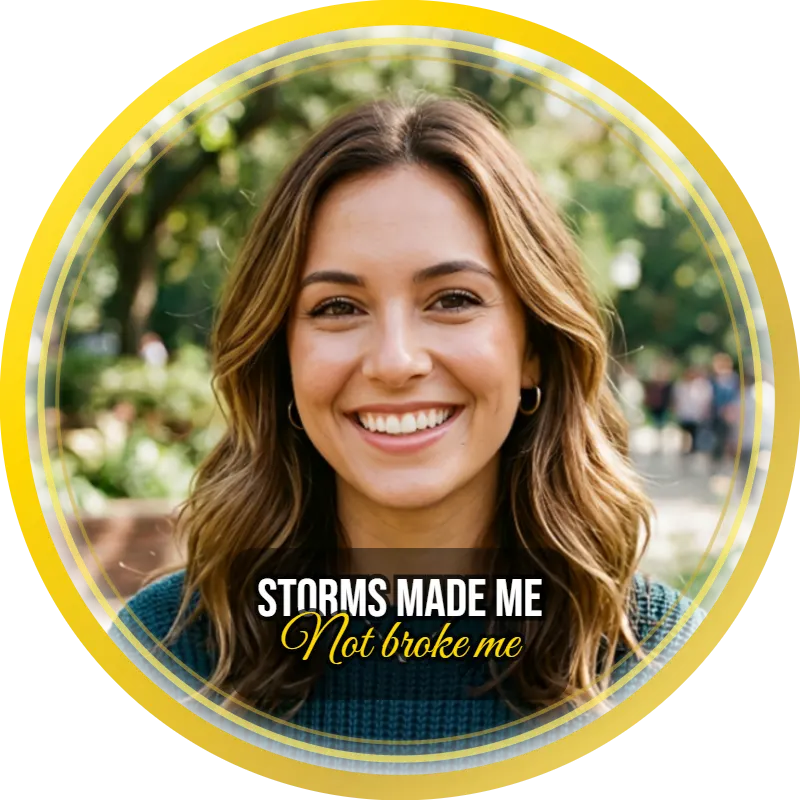
Twitter X DP maker preview showing a circular profile picture with a gold ring border and the quote "Storms made me, not broke me" overlaid on a smiling woman's photo
No upload · No signup · 100% free
640 × 640 · WhatsApp
Drag text on canvas to move
JPG
PNG
WebP
Quality 92%

What Size is a Snapchat Profile Picture

Twitter X DP maker tool banner showing a circular profile photo with blue border, highlighting free downloads, no signup, and no watermark features

Twitter X profile pictures display at 400x400px. That is the canvas size the twitter x dp maker sets the moment you select the platform — no manual input, no guessing. It is worth stating clearly because the correct twitter profile picture size still gets misquoted in widely-shared guides: 400x400px, not 500×500.

It matters because Twitter X compresses hard. Upload smaller than 400x400px and the platform has nothing to work with — a blurry circle sits next to every post, reply, and mention you publish. Get the size right and compression has room to breathe. Your face stays recognisable at 48x48px in the feed and sharp at full size on your profile page.

DP Maker sets the twitter dp size pixels automatically. No resizing after download, no crop surprise on upload, no manual canvas step.

How to Make a Twitter X DP

Six steps. Under a minute. No account.

  1. Open DP Maker — no signup, no login, no account. The tool opens instantly in your browser.
  2. Upload your photo — JPG, PNG, WebP, AVIF, or HEIC accepted. iPhone users upload directly without converting.
  3. Twitter X is pre-selected — canvas sets to 400x400px automatically. The size banner confirms it.
  4. Choose your crop mode — Fill for a tight portrait that fills the circle edge to edge. Fit for the full photo with a studio-look background behind the circle. Manual for precise control with drag handles.
  5. Customise — add a border or gradient border, pick a filter, write your name or handle in the text overlay, drop in a shape or emoji, or upload your own PNG overlay.
  6. Download — JPG, PNG, or WebP at 400x400px. No watermark, ever. The twitter dp maker no watermark free promise holds on every download. Single click, no redirect.

That is the full process to make twitter dp online — open the twitter x dp maker, work in the browser, download. The dp maker open and use instantly experience means nothing waits behind a login wall.

Tips for a Great Twitter X Profile Picture

Lead with your face, not your logo — unless you are a brand. Your twitter dp sits next to every word you publish on the platform. A face builds faster recognition than a logo for individuals. Crop tight in Fill mode. At 48x48px in the feed, a wide shot loses all detail. Your face centred, well-lit, and cleanly cropped does more work than any frame or filter on its own.

Use filters to set the tone. The Cool filter gives a clean editorial look — strong for journalists, analysts, and professionals. Vivid works for creators who want high-energy presence. B&W strips back to form — popular for writers and accounts that want a timeless read. The matte profile picture maker finish from the Fade filter suits aesthetic and photography accounts. Manual brightness, contrast, and saturation sliders let you push further without opening a separate editor for a single profile picture crop.

Put your name, handle, or a short quote on the DP — a proper twitter dp with name setup is one of the highest-intent searches in this space. DP Maker runs two completely independent text lines, each with its own font, size, color, position, and opacity. The stacked text profile picture maker setup means you can run your name in Bebas Neue on Line 1 and your handle in Poppins below it, pulled tight with a negative line gap. The pill background toggle drops a colour block behind the text so it reads clearly over any busy photo. The double line text dp result looks deliberate — not templated.

Try a Rainbow gradient border for event and occasion updates — the twitter dp with border cluster is where the most variety lives. Birthday, New Year, 4th July — a rainbow border profile picture maker finish makes your update visible the moment someone scrolls past your username. The rainbow circle profile picture effect stands out in a largely monochrome feed. Swapping back to a plain border after the occasion takes seconds.

Update fast and update often. Twitter X moves quickly and a stale profile picture signals inactivity. Kareem is a tech journalist who refreshes his twitter dp every time he switches beats. He uploads his latest headshot, hits the Cool filter, adds a thin colorful ring profile picture online border in his signature blue, and downloads at twitter profile picture 400×400. Under a minute. He has never once been asked to sign up.

Features That Make Your Twitter X DP Stand Out

Text Overlay — Name, Handle, or Quote on Your DP

Most twitter dp with name tools give you a single text box on top of a photo. DP Maker’s text system is different. Two completely independent lines — Line 1 and Line 2 — each with its own font, size, color, X/Y position, and opacity. Switch between them using the tab. Drag either line anywhere on the canvas.

17 fonts across six categories cover every Twitter X tone: Impact and Bebas Neue for bold statements, Playfair Display and Lora for editorial credibility, Dancing Script and Pacifico for casual personality accounts. The two line text profile picture technique — overlapping name and handle in contrasting fonts with a negative line gap — looks nothing like a template output. All fonts are self-hosted as woff2 files and load in private and incognito mode without issue.

The name and quote on dp use case is strong on Twitter X. Name in a bold display font on Line 1, a short quote or role descriptor in a lighter weight on Line 2. Toggle the profile picture pill background text option on and the text block sits cleanly over any background. The stylish font dp maker free result downloads at full 400x400px — no watermark, no account.

Gradient Border — Rainbow and Custom

The Border panel includes a full gradient border system with four built-in presets and a custom multi-stop builder. For Twitter X, Rainbow and Custom are the primary angles.

The Rainbow preset wraps the circle in a full-spectrum gradient ring. The rainbow border dp online cluster has no dedicated browser tool owning it — the multicolor border dp maker result sits in genuinely unserved territory. The result renders directly in canvas — crisp at 400x400px with no pixelation.

The Custom option opens the multi-stop gradient builder. Add as many color stops as you want, each with its own color picker and position. The build your own border dp maker capability here is Photoshop-level in a free browser tool — no other DP-specific tool offers this. The custom gradient border profile picture result means your brand colors run around the circle, not a preset someone else chose. The personalized border dp maker and custom color border dp maker outputs are entirely unique to whoever builds them. The custom border dp maker free access with no signup makes it genuinely reachable — not locked behind a tier.

For Twitter X accounts that rebrand seasonally: set a rainbow ring for a birthday week, switch to a custom two-color gradient for a campaign, swap back to a plain border any time. The whole process runs in the browser, no account needed.

Filters — Control Your Tone Without Photoshop

Six preset filters plus manual sliders cover the full range from editorial to bold.

B&W produces a full greyscale result — the b&w dp maker finish is clean, authoritative, and timeless. Strong for writers, journalists, and professional accounts. Vivid pushes saturation and contrast up — the vivid filter profile picture maker result works for creators and brand accounts that want immediate visual energy. Cool shifts hue slightly blue and reduces saturation — the cool tone profile picture maker finish is the standard for a polished editorial look. Warm adds a golden tone — the warm filter dp maker output pairs naturally with Birthday and New Year occasions. Fade produces a low-contrast matte — the vintage fade profile picture maker effect suits aesthetic and photography accounts.

Manual sliders go further. The profile picture brightness editor online control fixes an underexposed photo without leaving the tool. The adjust contrast profile picture online slider sharpens a flat image in seconds. The profile picture saturation editor free control handles photos that came out oversaturated on a phone camera.

Shapes — Add Visual Weight to the Circle

12 canvas-drawn shapes with full controls: size, X/Y position, rotation, fill color, stroke color, and stroke width. Heart and Star are the most-used for occasion DPs. The heart shape dp maker result on a Birthday update immediately reads the occasion. The star overlay profile picture maker finish works for creators marking a milestone.

The decorative shape dp maker free access matters for Twitter X because the platform rewards visual distinctiveness. A burst shape profile picture maker element placed deliberately in a corner adds a graphic design quality to an otherwise plain headshot. An arrow overlay profile picture pointing toward the face adds a subtle editorial framing. Both sit at KD 5 with zero dedicated browser tool competition.

No Watermark, No Account — Ever

Twitter X is built on instant expression. A tool that puts its branding on your profile picture — or makes you register before downloading — works against that. The twitter dp maker no watermark free rule at DP Maker is permanent: no watermark under any circumstance, no plan that changes it, no export limit. The download dp without watermark result is what every user gets, every time.

The profile picture maker no account needed setup means the tool opens, you work, you download. Add a twitter dp with border, filters, and text, then download at 400x400px without creating anything. It is the complete tool, permanently free — no trial, no tier, no expiry.

Events — Birthday, New Year, 4th July

Three event presets are directly relevant to the Twitter X audience. Each applies a themed ring overlay around the circle photo. Ring 1, Ring 2, and Ring 3 each have independent color pickers — the preset is a starting point, not a fixed output.

Birthday — pink and purple dashed rings. The birthday dp maker use case on Twitter X is year-round. The sticker panel auto-filters to birthday stickers the moment the preset activates. Add a heart emoji at a slight angle with the rotating emoji profile picture maker rotation slider — the result looks considered rather than templated.

New Year — gold starburst dots. The new year dp maker update peaks in the final week of December. The gold ring pairs naturally with the Custom gradient border for accounts that want everything to coordinate.

4th July — red, white, and blue patriotic rings. The 4th july dp maker keyword sits at KD 10 with almost no browser tool serving it. American journalists, political commentators, and brand accounts updating for Independence Day are specifically underserved here. Pull the ring colors to a deeper red and clean white with the individual color pickers — one preset, multiple outcomes.

Selecting any event preset automatically filters the Sticker panel to relevant stickers only. Add an emoji from the Celebration or Hearts tab, place it, rotate it using the emoji dp maker no watermark rotation control, and the emoji on dp online free result downloads at full resolution.

DP Maker vs Canva vs Adobe Express vs Fotor— Which One Actually Works for Twitter X DP?

Feature DP Maker Canva Adobe Express Fotor Why it matters for Twitter X
Signup required No Yes Yes Yes (for HD) Twitter X is built on instant expression. A signup wall between you and your profile picture update defeats the point. DP Maker opens and works — nothing in the way.
Watermark on free tier Never No No Sometimes Your Twitter X profile picture sits next to every post you publish. Someone else's branding on your DP is a credibility problem. DP Maker never adds a watermark — not on free accounts, not ever.
Transparent circle PNG (no white box) Yes No No No Every other tool exports your circle crop inside a white square. DP Maker exports just the circle — transparent everywhere outside it. Upload it to Twitter X and it sits cleanly on any background color the platform uses.
Photo upload privacy Browser-only, never uploaded Uploaded to server Uploaded to server Uploaded to server Your photo goes nowhere. Canva, Adobe Express, and Fotor all receive a copy of your image on their servers. DP Maker processes everything locally — your photo stays on your device the entire time.
Real photo editing (not AI-generated) Yes Limited Limited AI-focused Twitter X audiences spot AI-generated headshots. DP Maker works with your actual photo — crop, filter, border, text. No generation, no synthetic face. Your real face, polished.
Platform-exact sizing Yes, auto Manual Manual Manual Twitter X requires 400x400px for a sharp profile picture across every device. DP Maker sets this automatically. Canva, Adobe Express, and Fotor require you to set canvas dimensions manually — and Postcron's widely-cited guide still states the wrong size (500x500px).

No signup needed. Your Twitter X DP is ready.

Your Twitter X Photo Stays Private

Every edit in DP Maker — crop, filter, border, text, download — happens entirely inside your browser using HTML5 Canvas. The photo never touches a server. Not DP Maker’s servers. Not anyone else’s. You could disconnect from the internet after the page loads and the tool would still work — that is how local the processing is.

Canva, Adobe Express, and Fotor all receive a copy of your photo on upload. That copy sits on their infrastructure. For a platform like Twitter X, where professional reputation is tied to your public presence, your unpublished headshots do not belong in someone else’s database. The twitter/x dp maker no account approach is not a feature — it is how the tool is built.

iPhone users: HEIC uploads work directly. The heic profile picture maker capability means you take a photo on your iPhone, open DP Maker, upload, and work — no format conversion, no third-party app, no extra step. The make twitter/x dp on iphone free process is identical to desktop. The iphone dp maker browser experience requires nothing installed. The profile picture maker iphone no app approach is the entire point — browser, upload, download, done.

How People Actually Use the Twitter X DP Maker

Kareem is a technology journalist. He updates his twitter x dp every few months — when he switches publications, takes a better headshot, or just wants a refresh. He opens DP Maker, uploads his photo, hits the Cool filter for the editorial tone his beat calls for, adds a thin border in his signature colour, and downloads at 400x400px. No account, no export limit, no friction. He has never once been asked to sign up.
Dina runs a political commentary account with 40,000 followers. She updates for every major moment — New Year, 4th July, sometimes just a bold rebrand when the account needs to feel different. For Independence Day she uses the event preset, pulls the ring colors to a deeper red and a clean white using the individual color pickers, and adds her handle in Impact font on the text overlay. The process takes three minutes and she downloads at twitter profile picture 400×400 without a second thought.

Marcus runs a birthday account — every day he tweets a post for a notable person. On his own birthday he does a full DP update: Birthday preset, a full rainbow gradient ring, a heart emoji rotated at 20 degrees, his name in Dancing Script on Line 1, a short quote in Poppins on Line 2. The rotation control handles the angle. One download, no watermark, directly into his Twitter X profile.

Frequently Asked Questions

What size is a Twitter X profile picture?

400x400px. That is the correct size for a sharp display across desktop, mobile, and the feed at 48x48px. DP Maker sets this automatically — no manual canvas sizing needed. The correct answer is 400×400, not the 500x500px figure still circulating in some guides.

Upload your photo, choose your crop mode, and click Download as PNG. DP Maker exports the circle crop with no white box and no background bleed — transparent everywhere outside the circle. Every other tool exports a circle inside a white square. The full answer to how to make a transparent profile picture for twitter: select PNG format, click download.

No. Never. The does dp maker add watermark answer is the same every day, on every plan: no watermark, no branding, no hidden export cost. What you download is entirely yours.

Yes — DP Maker. Open the tool, upload your photo, download your DP. No account creation, no email, no registration step. The free dp maker no registration experience is not a limited trial — it is the complete tool, free permanently.

Yes. DP Maker accepts HEIC — the default iPhone photo format since iOS 11. Upload directly from your camera roll. No conversion, no extra app. The upload heic profile picture process works identically to any other format.

Open the Border panel. Select one of the four gradient presets — Gold, Silver, Rose Gold, or Rainbow — and it applies instantly. For a fully custom ring, choose Custom and use the multi-stop color builder. The how to add gradient border to profile picture steps: Border panel → Gradient Border → pick a preset or build your own → download.

Also Try

If you compress or convert your profile picture after downloading, imagecompressorconverter.com handles it — free, browser-only, no signup. Same zero-upload approach as DP Maker.

The main DP Maker page covers all 16 platforms in one place — the same way you make twitter dp online here works identically for WhatsApp, Instagram, LinkedIn, and 13 more.

For creative, visual-first audiences, the Instagram DP Maker covers soft edge, gradient backgrounds, and transparent circle PNG — features that matter for a platform built around aesthetics. The TikTok DP Maker covers vivid filters, stickers, and event presets for the Gen Z audience that overlaps heavily with Twitter X.